FAMILY TECH · A DOT IS NOT SUPERVISION
Family Location Trackers: Bluetooth Tag vs GPS Watch vs Phone—and What They Cannot Promise
Choose the failure mode you understand. A tracker can help recover a backpack or add location context, but it cannot replace the family separation plan.
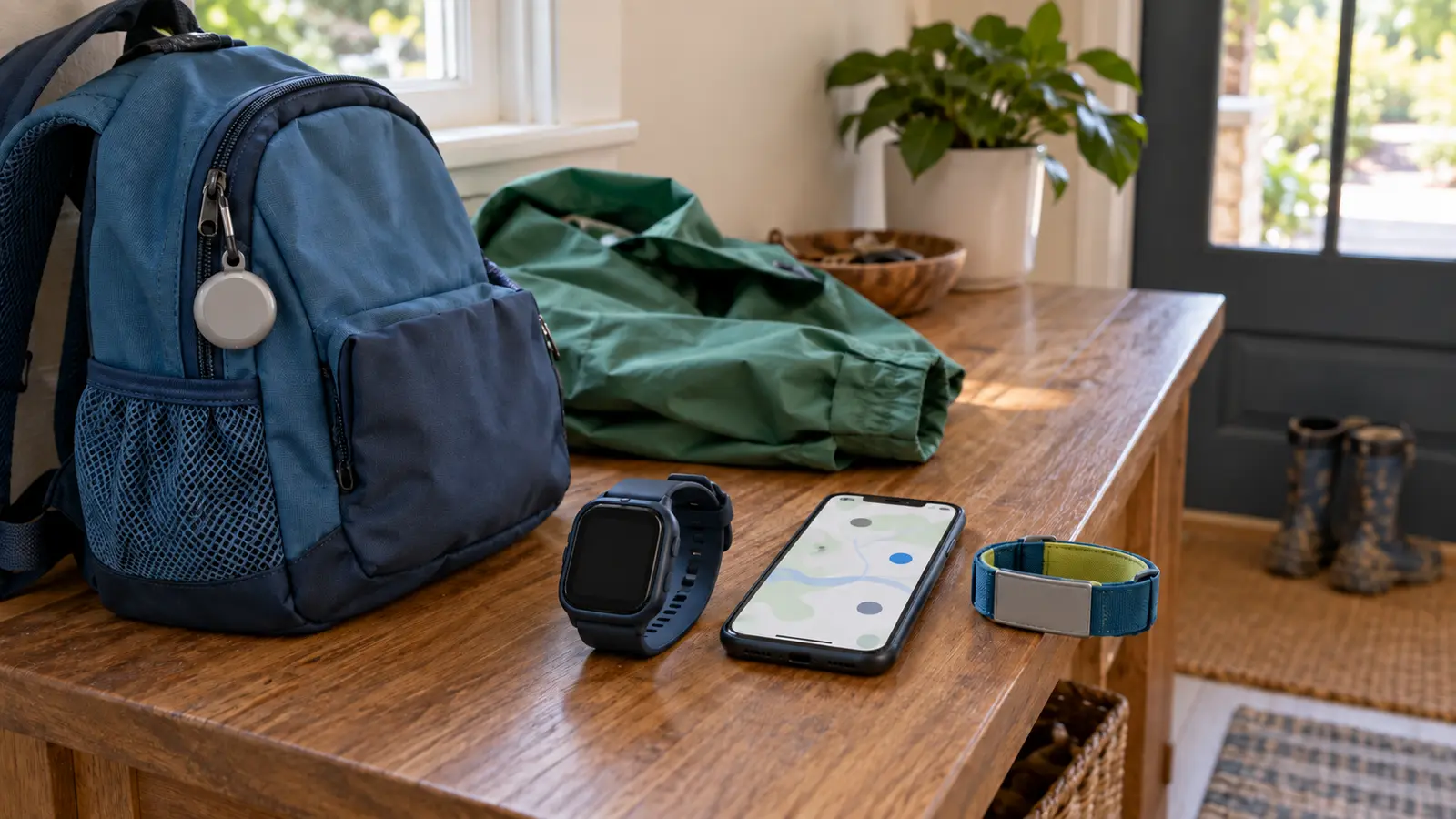
Four tools that solve different problems
Bluetooth crowd-network item tag
Apple describes AirTag as a way to keep track of personal items such as keys and backpacks. Google similarly defines tracker tags as small Bluetooth devices attached to items. That is the correct use case: finding a bag left in a room, locating keys nearby or receiving a last-seen report when a compatible network detects the item.
A tag is not a real-time child tracker. It has no independent cellular connection, can be separated from the backpack, may depend on nearby participating phones, and can report a stale or approximate location. Ecosystems, phone versions, account settings and network-density choices matter. Buy it for the item, never as permission to loosen supervision.
Cellular GPS watch or dedicated wearable
A cellular wearable can provide device location, calls or messages without a full phone when its hardware, service plan, coverage, account, permissions and battery all work. That can help a child who is developmentally ready to follow a call-and-meet protocol. It also creates the most ongoing maintenance: charging, subscription, contacts, software updates, school rules and a privacy policy.
Before buying, read the exact manufacturer's age and fit guidance, carrier or coverage map, refresh behavior, emergency-feature limits, data-retention policy, account-recovery process and cancellation terms. Do not infer emergency dispatch from an “SOS” label. Ask what happens if the child is indoors, the device has no signal, the battery dies or the watch is removed.
Phone location sharing
If a child already carries a phone and the family has agreed to location sharing, the no-buy option may be strongest. A phone can combine calls, messages and device location. It also fails through dead battery, disabled permissions, no service, airplane mode, account trouble or physical separation from the child.
Use only the operating system's current family-sharing documentation, not a random “spy” app. Configure who can see location, when sharing begins and ends, and what to do when an update is stale. A parent seeing no movement should call and follow the separation plan, not assume the dot is the child.
ID card or contact wristband
A low-tech ID card or reusable wristband does not broadcast. It helps a staff member contact the family after finding the child. Use the minimum useful information—typically an adult's reachable phone number and a simple assistance note when needed—without putting a home address, full itinerary or unnecessary medical details in public view.
This option costs little, has no battery and works across phone ecosystems. Its limits are equally clear: the child must show it or a helper must notice it, and another person must make contact.
Start with the actual question
- “Where is the backpack?” Consider a compatible Bluetooth item tag.
- “Can my ready child call us without a phone?” Compare cellular wearables and service.
- “Can our existing phones share location by agreement?” Use the built-in no-buy option.
- “Can a helper reach us if the child cannot remember a number?” Use a minimal ID band or card.
- “How do we prevent or respond to separation?” Technology is secondary; use the lost-child protocol.
More hardware does not automatically close more gaps. A Bluetooth tag plus a watch plus a phone can create three batteries and three confusing maps. Choose one defined job and one adult owner.
The seven-point compatibility check
- Ecosystem: confirm the exact phone, operating-system version, account type and family-sharing setup.
- Connection: separate Bluetooth range, crowd-network detection, Wi-Fi and cellular service. They are not interchangeable.
- Freshness: learn how the app shows when and approximately where a device was last detected.
- Battery: define charging or replacement cadence and what low-battery warnings actually reach the adult.
- Physical fit: a watch must fit and remain wearable; a tag attachment must suit the item.
- Rules: check school, camp, museum, water-park and airline policies before relying on a device.
- Exit: know how to remove family access, erase data, cancel service and hand down or dispose of the device.
Privacy is part of fit
Location data can reveal home, school and routines. Read who receives it, how long it is retained, whether it is used for advertising, whether the child can see that sharing is active and how the account is protected. Use a unique password, multifactor authentication when offered, narrow the viewer list and remove former caregivers promptly.
Do not hide a tracker on a person, partner or another family's belongings. Google warns that Bluetooth trackers can be misused to track people without consent, and both major mobile ecosystems provide unwanted-tracker alerts. Keep those safety alerts enabled and teach older children to tell an adult if a phone warns that an unknown tracker is moving with them.
Google says its Find Hub network can aggregate detections in busy places and offers controls for whether a device participates. That improves item-finding in some conditions; it does not transform a tag into continuous GPS. Review network participation and privacy settings as a family instead of accepting defaults blindly.
The arrival drill
- Take a current arrival photo showing clothing, without posting it publicly.
- Point out the specific uniformed staff or help desk.
- Choose one meeting point that a child can describe and reach safely.
- Confirm the child script: stop, stay put, ask the defined helper and give the adult's number.
- Check device battery and connectivity without making the child responsible for the whole system.
- Test one call or location refresh while everyone is together.
- Set the rule: if separated, follow the plan; do not wander toward a moving dot.
Use the amusement-park system for dense venues and the parking-lot plan for the dangerous transfer before and after the gate.
When the location is stale or wrong
First read the timestamp. “Last seen” is not “now.” Call or message if the child is old enough and equipped to respond. Alert venue staff and give the child's description, last confirmed location and direction of travel. Keep one adult at the meeting point while another follows staff instructions; do not send siblings to search.
If a child is missing near water, traffic, wilderness, extreme weather or another immediate hazard—or abduction is suspected—call emergency services promptly. Do not delay because an app shows a reassuring dot, and do not drive toward a moving location while distracted. Share device information with responders when they ask for it.
Travel, weather and meltdown logistics
Cold can reduce battery performance; heat can damage electronics; water resistance is model-specific and can change with wear. Follow the maker's published limits and never assume a watch is swim-safe from appearance. Pack the correct charger or battery, but do not let the tracker displace water, food, medication, weather layers or the adult's attention.
Use the family power-bank guide only if the device permits that charging method. A power bank does not solve a forgotten cable or a cellular dead zone. During a meltdown, keep the child physically with an adult; do not hand over the device and ask the map to supervise.
What not to buy
- A Bluetooth item tag marketed as real-time child GPS.
- A cellular watch before checking ongoing service, coverage, battery life and school rules.
- A third-party tracking app that requests broad permissions without a clear privacy and deletion policy.
- A device whose account cannot use strong authentication and recover securely.
- A wearable that does not fit the child or that the child will remove.
- A “waterproof” promise without a specific current manufacturer rating and care instructions.
- Any tool used secretly or as a substitute for the separation drill.
Cost and the no-buy plan
Total cost includes hardware, accessories, replacement batteries or charging gear, cellular service and the time to test it. Do not compare only the checkout price. A printed contact card, agreed meeting point, charged existing phone and practiced family script may cover the real need better.
If buying, choose the least complex system that answers the defined question. Test it at home, in the yard and at a familiar public place before a major trip. Record what a stale reading looks like. Every adult should know the account access and the nontechnical backup.
Who should skip it
Skip a wearable when the child cannot tolerate or keep it on, the venue prohibits it or the adults will not maintain service and charging. Skip item tags for people-tracking. Skip location sharing where coercion or family-safety concerns exist; seek qualified safety support instead. Most importantly, skip any setup that makes adults watch a screen more than the child.
Official platform and safety sources
- Apple Support: AirTag and Find My are for personal items
- Apple Personal Safety: item trackers and unwanted tracking
- Android Help: unknown tracker alerts, consent and safety steps
- Android Help: how Find Hub protects data and network controls
- Google Find Hub: current device-finding functions
- The exact wearable manufacturer's current manual, privacy policy, service terms and coverage information.
MAKE THE WEEKEND COUNT
Useful beats heroic.
Build the day your family can finish well, then leave enough energy for the ride home.
More family plansTHE USEFUL STUFF
Gear that removes friction.
These are practical categories to compare—not a reason to overpack. Check fit, specifications and current reviews before buying.
Paid links: As an Amazon Associate I earn from qualifying purchases. You pay no additional cost.
Bluetooth item trackers
Choose for a backpack or other item, then verify phone ecosystem, attachment, battery and unwanted-tracker protections.
See current options → COMPARE ON AMAZONCellular GPS watches
Compare service, coverage, charging, age and fit guidance, school rules, privacy and the limits of emergency features.
See current options → COMPARE ON AMAZONReusable child ID wristbands
Use minimal contact information, check fit and durability, and keep the practiced family separation plan primary.
See current options →